
N-POS2.0.5 - App Store
You'll be able to see results in few seconds.
Publisher Description
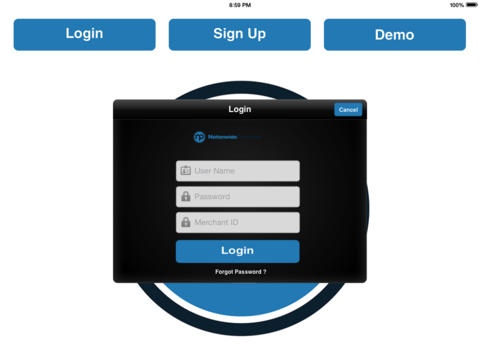
N-POS is a robust, full featured, easy to use POS app that can be used at restaurants, retail businesses, nightclubs/taverns, coffee shops, hair salons and many other businesses. N- POS provides detailed reporting, mobile and wireless options, clock in and out function, place orders feature, email receipts and much more.
Questions? Our representatives love to talk! Call us at (877) 290-1975 ext 5488 or email us at NPOS@getnationwide.com.
Features
Build your own custom menu (including modifiers)
Customer Information Portal for repeat customers and marketing
Email receipts
Open ticket/tab option
Split tickets evenly by # of customer paying or by specific items
Partial payments for tickets accepted
Inventory Management
Easily create or upload your inventory
Track inventory like never before (Someone ordered a salad? The POS automatically deducts the number of tomatoes used.)
Makes ordering simple
Shift scheduling made easy with employee management/scheduling feature
Special tutorial for training staff
Moment to moment activity, manage settings and real time reporting
All you need to supply is an iPad. We will work with you to customize the rest of your setup.
Build in Loyalty Program
Our built in loyalty program allows you to create digital punch cards or rewards programs based off dollars spent at your business. Your loyalty program will tie together the purchasing habits of your customers with their contact information. This will increase your marketing effectiveness while reducing marketing costs!
Requires iOS 5.0 or later. Compatible with iPad.
About N-POS
The company that develops N-POS is Zuza, LLC. The latest version released by its developer is 2.0.5.
To install N-POS on your iOS device, just click the green Continue To App button above to start the installation process. The app is listed on our website since 2014-06-15 and was downloaded 0 times. We have already checked if the download link is safe, however for your own protection we recommend that you scan the downloaded app with your antivirus. Your antivirus may detect the N-POS as malware if the download link is broken.
How to install N-POS on your iOS device:
- Click on the Continue To App button on our website. This will redirect you to the App Store.
- Once the N-POS is shown in the iTunes listing of your iOS device, you can start its download and installation. Tap on the GET button to the right of the app to start downloading it.
- If you are not logged-in the iOS appstore app, you'll be prompted for your your Apple ID and/or password.
- After N-POS is downloaded, you'll see an INSTALL button to the right. Tap on it to start the actual installation of the iOS app.
- Once installation is finished you can tap on the OPEN button to start it. Its icon will also be added to your device home screen.
Program Details
System requirements
Download information
Pricing
Version History
version 2.0.5
posted on 2014-06-15
Disclaimer
Official App Store Link
We do not host N-POS on our servers. We did not scan it for viruses, adware, spyware or other type of malware. This app is hosted by Apple and passed their terms and conditions to be listed there. We recommend caution when installing it.
The App Store link for N-POS is provided to you by apps112.com without any warranties, representations or guarantees of any kind, so access it at your own risk.
If you have questions regarding this particular app contact the publisher directly. For questions about the functionalities of apps112.com contact us.
